
Veltrea Syslog Server / v0.4.0
Syslog that doesn't mangle your text.
The character encoding is decided per message, so a Shift_JIS appliance and a UTF-8 appliance can share one port and both stay readable. Single file, no installer.
Decoded one at a time, with the evidence shown
Nothing locks the whole stream to one encoding. The evidence it settled on appears in the Enc column, so you can decide whether to trust what you are reading.
What arrived on the wire 3c 31 33 32 3e 61 75 74 68 3a 20 e8 aa 8d e8 a8 bc e3 81 ab e5 a4 b1 e6 95 97 e3 81 97 e3 81 be e3 81 97 e3 81 9f 3a 20 …
A receiver locked to one encoding <132>auth: 隱崎ィシ縺ォ螟ア謨励@縺セ縺励◆: 繝ヲ繝シ繧カ繝シ admin
What vlt-syslogd shows 認証に失敗しました: ユーザー admin (3 回目)Enc: UTF-8
- UTF-8 / Shift_JIS
- Arrived in RFC 3164 or bare BSD framing and was decoded from the byte pattern.
- Shift_JIS (MSG-SD/BOM-Missing)
-
RFC 5424 structured data declared
charset="Shift_JIS"and was believed. No BOM was present. - UTF-8 (MSG-UTF8/BOM)
- No declaration, but a BOM, so it was read as UTF-8.
- UTF-8 (Implicit)
- Neither declaration nor BOM, but the bytes were valid UTF-8.
- Shift_JIS (Guess)
- No evidence at all; inferred from the bytes.
The original bytes are kept, so any row can be copied back out with Copy as Hex — which tells you whether a display problem is on the wire or in the viewer.
One engine, three shapes
The part that reads syslog is the same code in all three; only how you run it differs. Start with Portable if you are not sure.
Portable
vlt-syslogd-portable
A self-contained GUI that opens the UDP socket itself. Double click it and it is already receiving. No installer, no service.
- Bind
- 514/udp
- Priv
- none (Windows)
- Resident
- no
Server
vlt-syslogd-srv
The headless engine. Runs as a Windows service, a launchd daemon or a systemd unit, collecting from boot and writing to disk.
- Bind
- 514/udp
- Stream
- 5141/tcp
- Ctrl
- 5142/tcp
- Resident
- yes
Console
vlt-syslogd-console
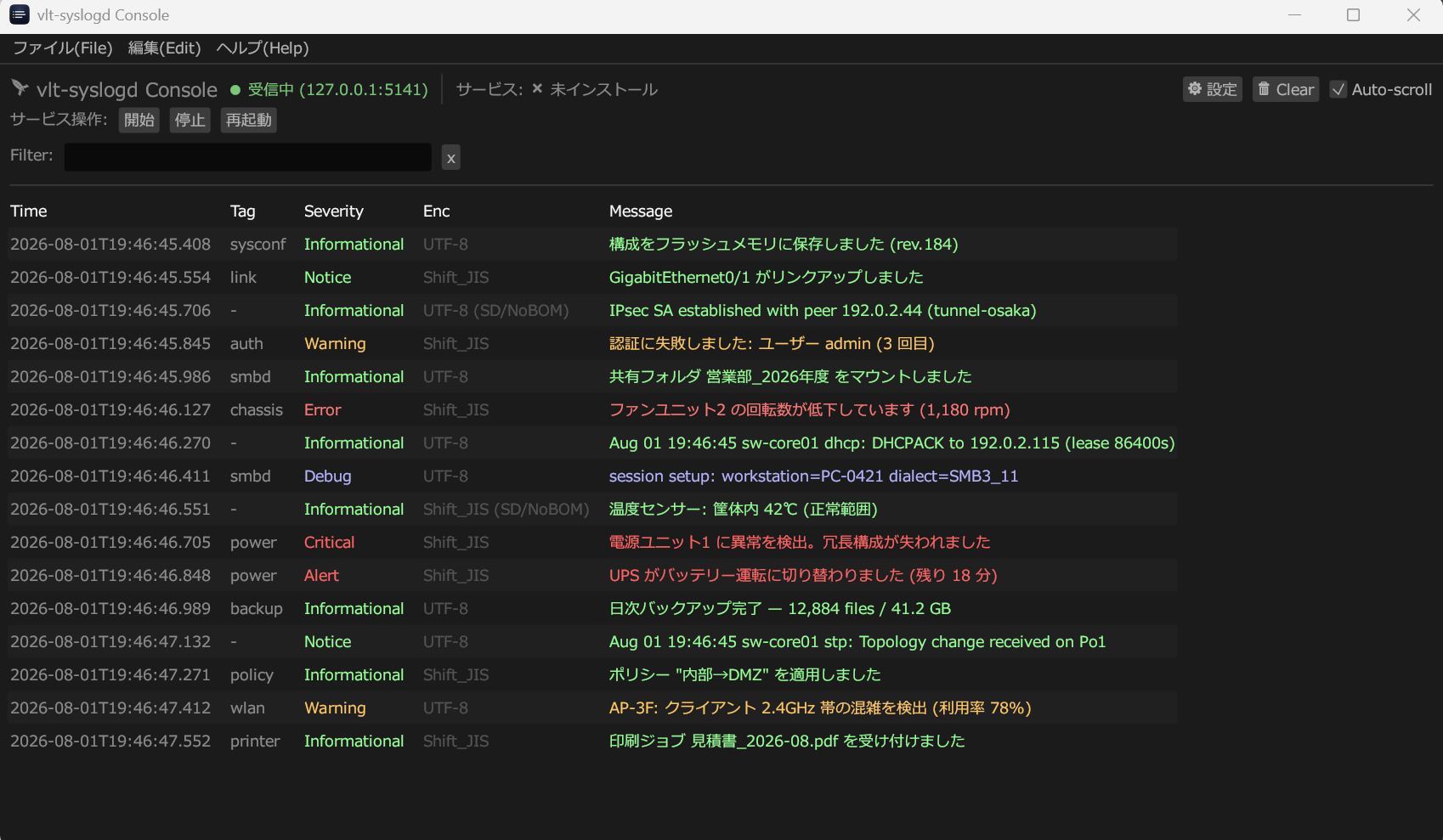
The GUI that attaches to a running Server over TCP. Closing it does not stop collection. Service control lives here too.
- Link
- 127.0.0.1:5141
- Ctrl
- 127.0.0.1:5142
- Resident
- no
The stream (5141) and control (5142) channels are loopback-only by default and protected by a shared token. See the network section of the manual.
The real thing
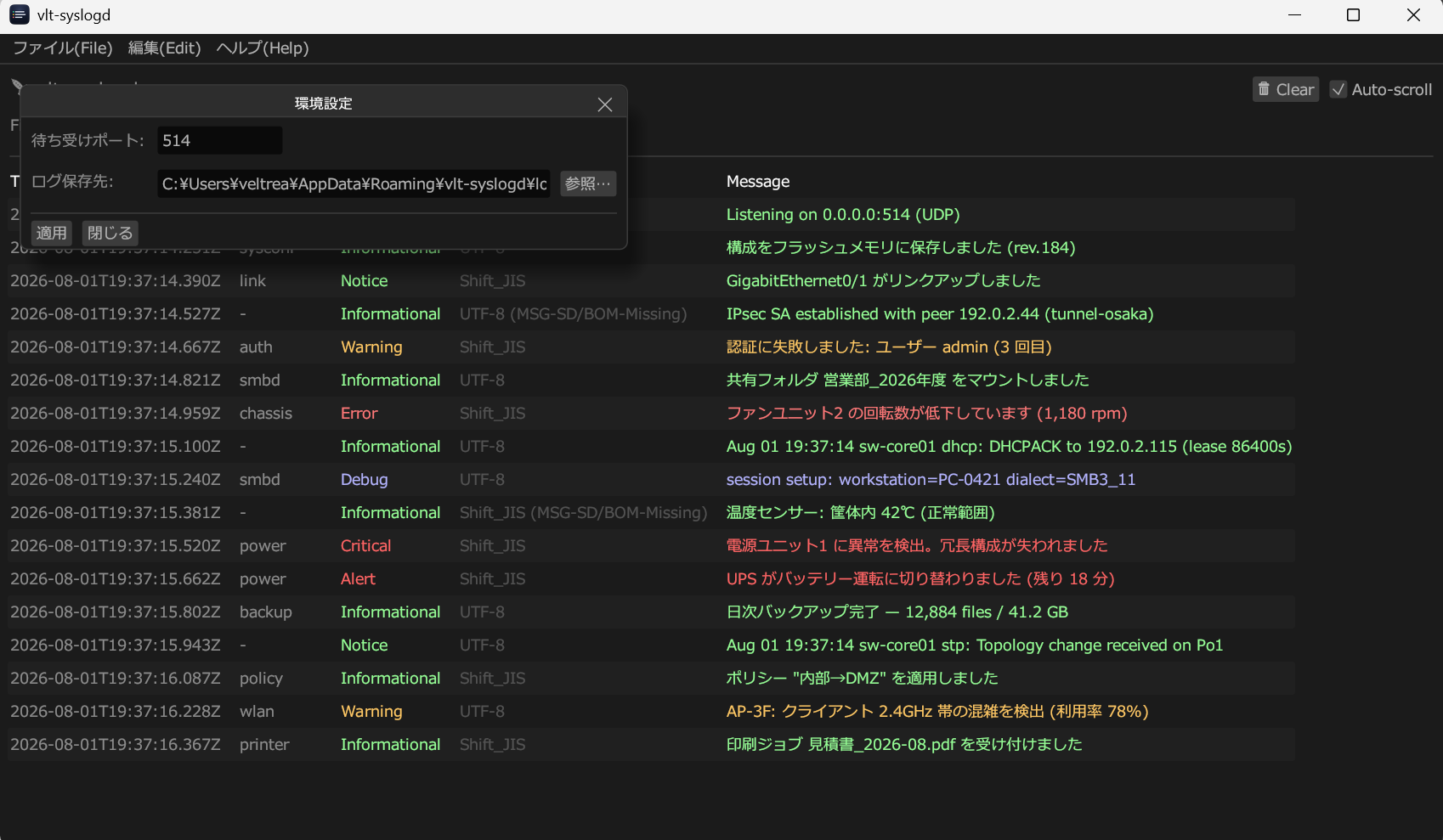
Captured from the v0.4.0 Windows release binaries running on Windows 11, fed a syslog stream mixing UTF-8 and Shift_JIS.
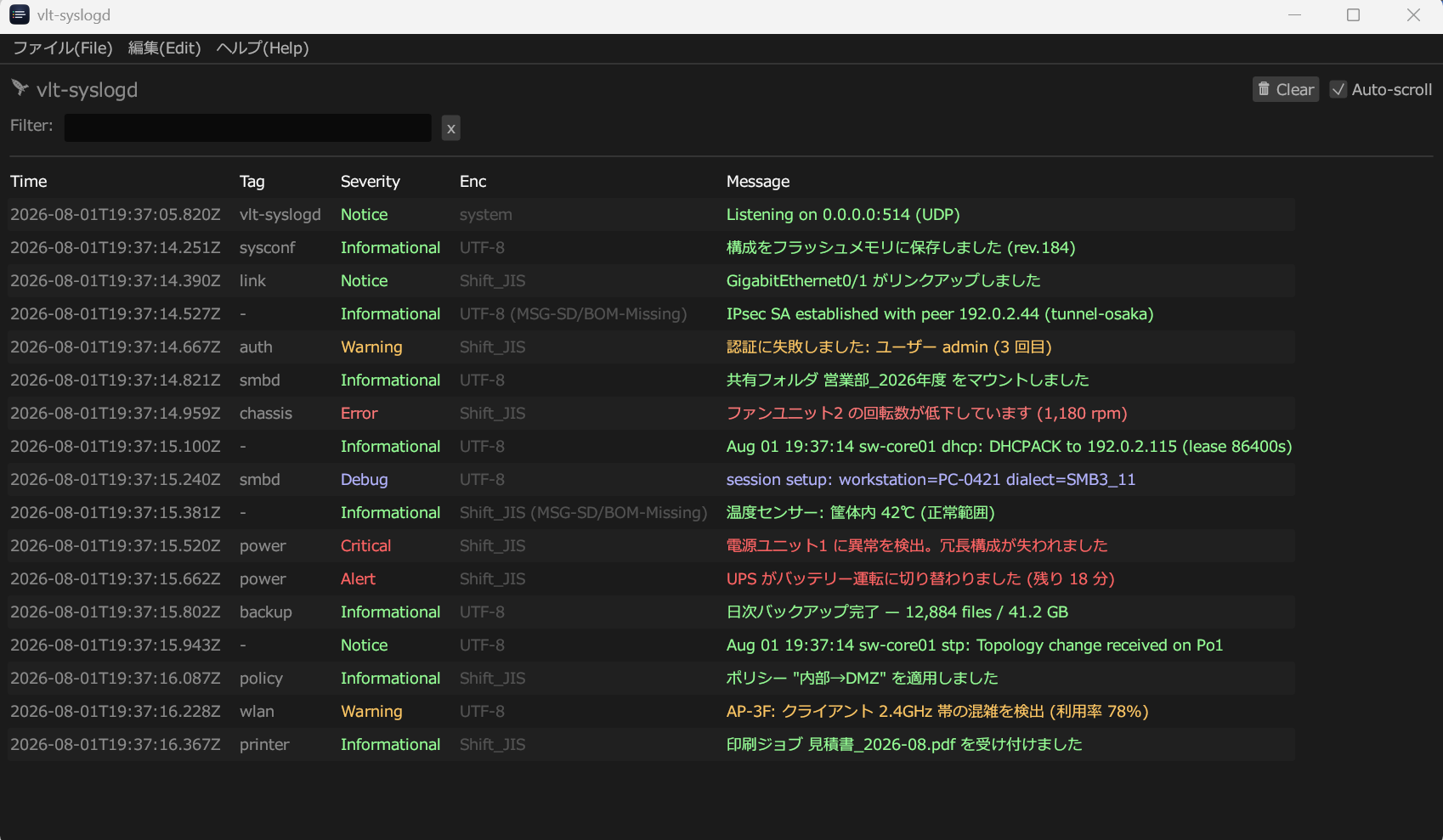
UTF-8, Shift_JIS
and Shift_JIS (MSG-SD/BOM-Missing) in the same screen
— different senders, different framings, all readable.
Open full size
Get it and run it
Latest is v0.4.0. Take only what your case needs.
| OS | Shape | File |
|---|---|---|
| Windows | Portable |
vlt-syslogd-portable-windows-v0.4.0.zip
|
| Windows | Server + Console |
vlt-syslogd-srv-windows-v0.4.0.zipvlt-syslogd-console-windows-v0.4.0.zip
|
| macOS | Portable |
vlt-syslogd-macos-portable-v0.4.0.dmg
|
| macOS | App |
vlt-syslogd-macos-app-v0.4.0.dmg
|
| Linux | Portable (single ELF) |
vlt-syslogd-linux-x86_64-portable-v0.4.0
|
-
Unzip and open it
Portable needs no installation. Unzip and double click
vlt-syslogd-portable.exe. If SmartScreen appears, choose "More info" then "Run anyway". -
Check the first row
Listening on 0.0.0.0:514 (UDP)means the socket is open. If it failed, pick a port above 1024 in Preferences. -
Send yourself one message
A row should appear immediately.
$u = New-Object System.Net.Sockets.UdpClient
$b = [Text.Encoding]::UTF8.GetBytes('<132>auth: login failed')
$u.Send($b, $b.Length, '127.0.0.1', 514) | Out-Null; $u.Close()
Making it resident, or receiving from other devices, is in the manual.
Worth knowing first
514 is a privileged port on macOS and Linux
Ports below 1024 need root. On macOS (Mojave and later)
0.0.0.0:514 does not, but binding a specific
interface such as 127.0.0.1:514 still does. On Linux
you need root or CAP_NET_BIND_SERVICE.
The macOS builds are ad-hoc signed, not notarized
There is no Apple Developer account behind this project, so
Gatekeeper stops the first launch. Right click → Open once, or
clear the quarantine flag with
xattr -dr com.apple.quarantine.
"Service running" is not "port reachable"
A running Server with a firewall in front of UDP 514 receives
nothing. When remote logs do not arrive, check
bind_addr, then the firewall, then the sender's
destination address.